


All the plans and SIMs available for purchase through Spenza are accessible in the Spenza Marketplace under Plan Catalog and Sim Catalog respectively. When we create a profile for your business, we gather a comprehensive list of both international and domestic providers, including T-Mobile service plans and other leading options, along with their available plans. These plans are featured in our catalog, allowing you to view and order them directly via Spenza.
The marketplace ensures that all listed plans are integrated with operators, providing real-time availability for immediate purchase. Similarly, we maintain a SIM catalog, which includes all the SIMs available for purchase on the Spenza platform.
Requesting a Custom Plan
Step 1 : Navigate to the Service Management → Service Requests and Select Plan Requests tab. Click on Add Request.
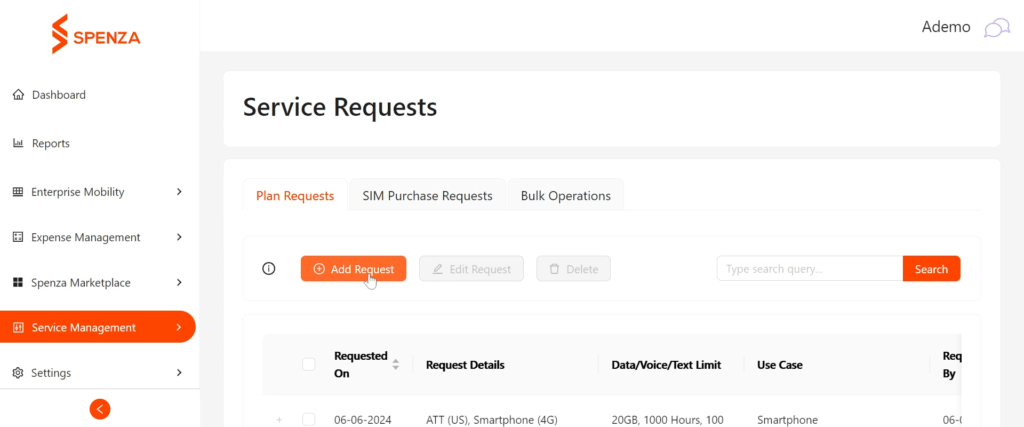
Step 2 : Customize the plan details according to your needs.
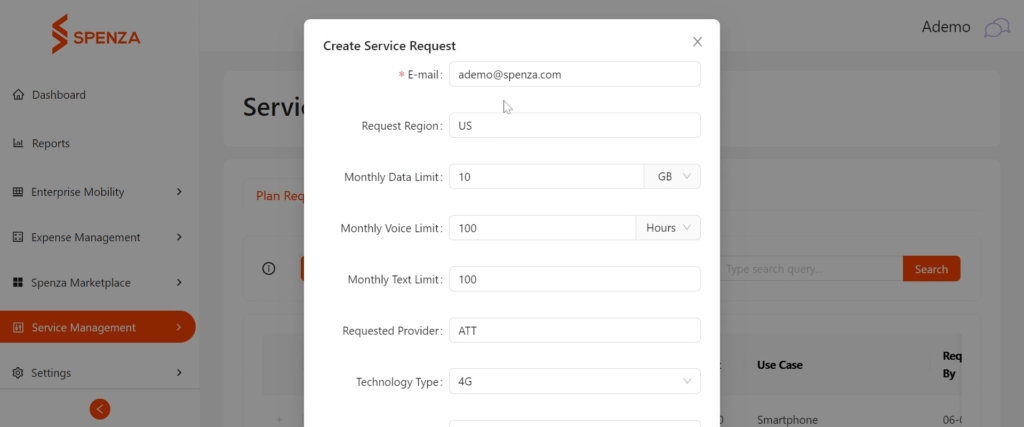
Step 3: Submit your request. You will receive a confirmation that your request has been successfully submitted with the status marked as “requested.”
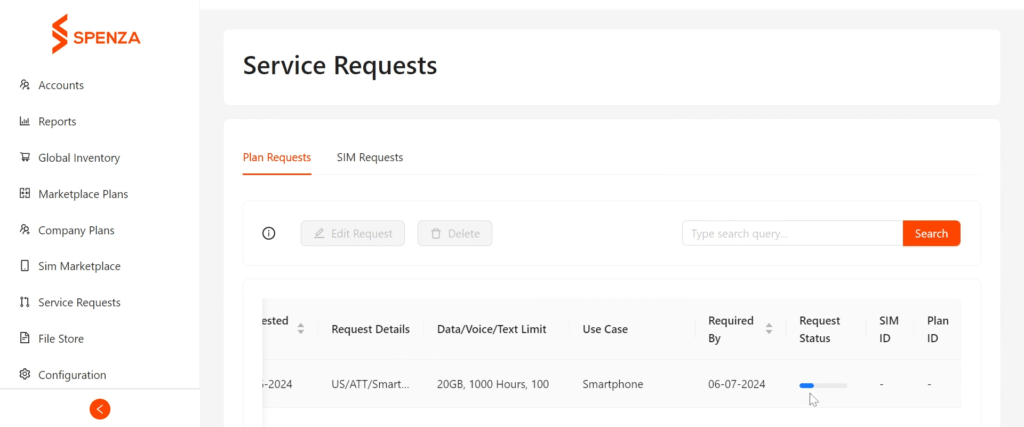
The Spenza admin will review your request and proceed to provide the plan. The admin can check, fulfill, and update the request’s status as changes occur.
Purchasing a SIM Card
Step 1 : To purchase a SIM card from Spenza navigate to the Service Request → Sim Purchase Requests tab. Click on “Purchase SIM” button.
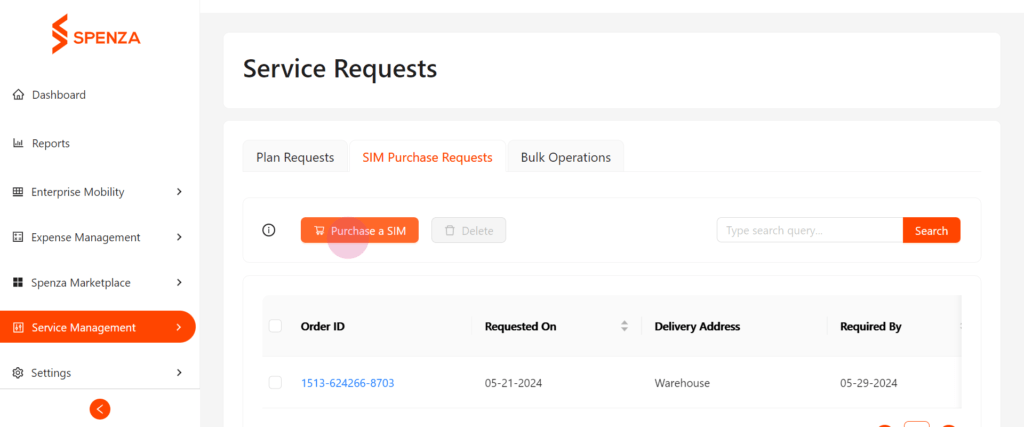
Step 2 : Select the preferred SIM, including options compatible with T-Mobile service plans, and fill in other required details such as address and desired delivery date.
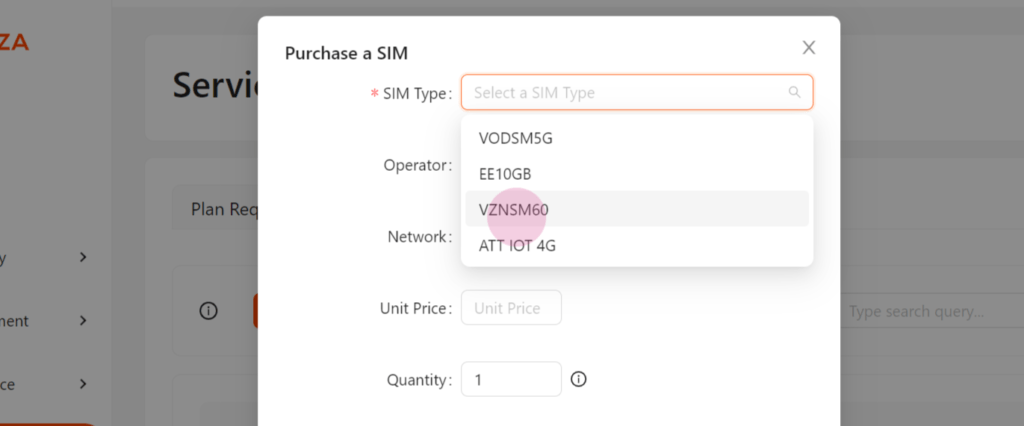
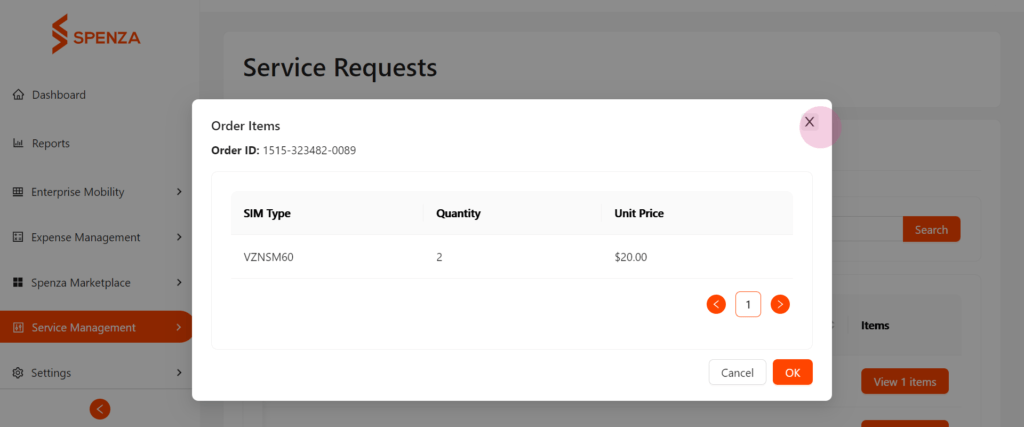
Step 3 : Proceed to pay using your credit balance or credit card. After the purchase, you will receive a notification by mail. The request status will reflect ‘Payment Succeeded,’ and you can view the order details.
Step 4 : Similar to a plan request, the Spenza admin can update the order status on their end as any changes occur.
Spenza’s integrated platform also supports businesses working with international payroll providers, ensuring seamless communication and alignment of mobile service needs globally.
This concludes how to request a plan or purchase a SIM from the Spenza Marketplace, ensuring you optimize your mobile services efficiently.


